
Azure Fabric Integration
Access SXT verifiable blockchain data with Azure Fabric…
The integration of Space and Time offers developers access to real-time, verifiable blockchain data from Bitcoin, Sui, and Ethereum within Microsoft Azure OneLake. This streamlines blockchain data access across the Fabric ecosystem, providing a trusted and efficient solution for enterprises to leverage insights around onchain activity directly within their applications. Microsoft developers can access Space and Time’s indexed data through Fabric allowing them to:
- Ability to manage Data Security and Governance
- Easily share data to other organizations
- Leverage Azure AI & Machine Learning tools
- Native integration with Azure Fabric for monitoring, reporting and Analytics
- And more…
Creating a Lakehouse Shortcut in Microsoft Fabric
Create a New Workspace
- Log in into Microsoft Fabric.
- Navigate to Home.
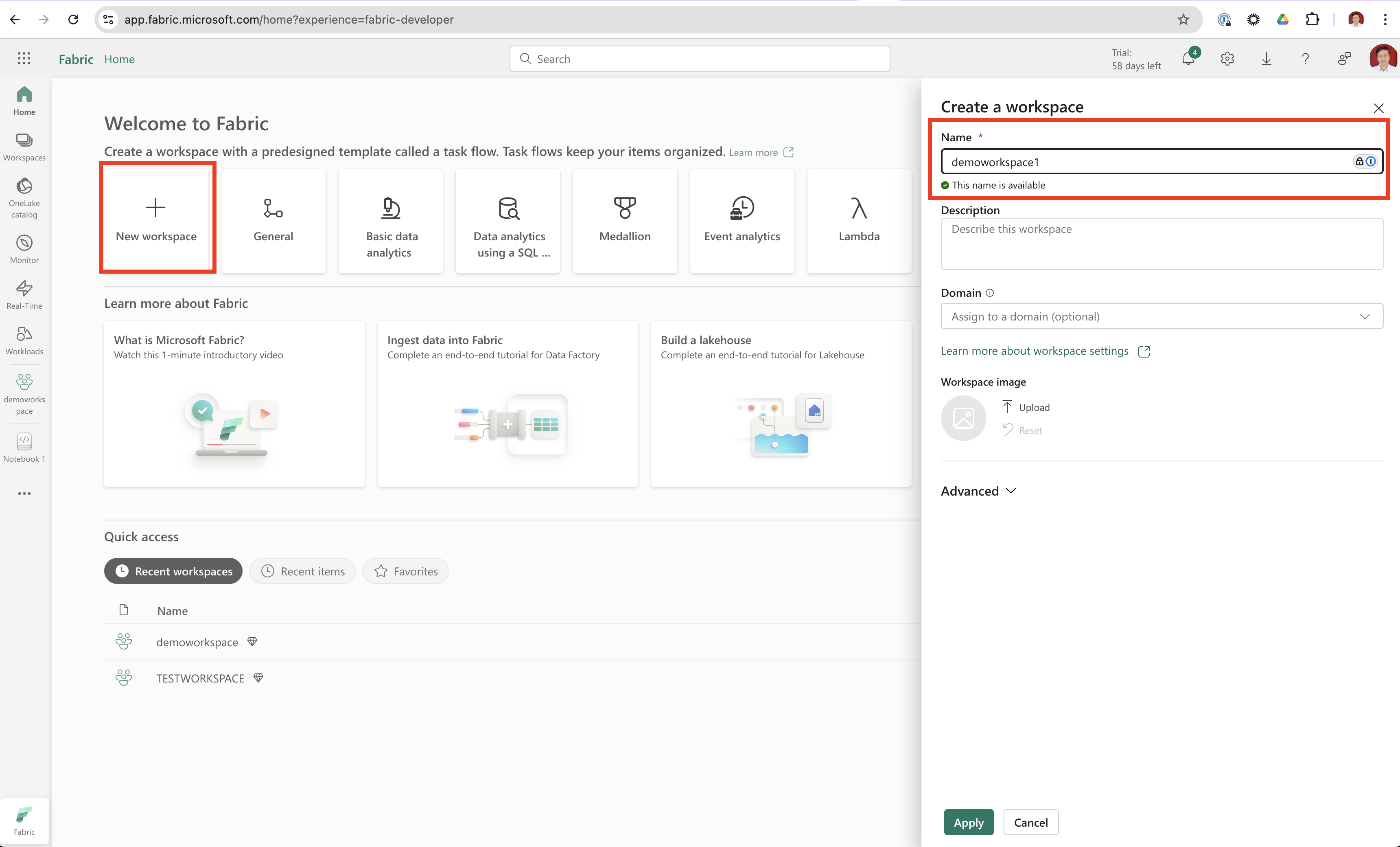
- Click on + New Workspace, provide a Name and click Apply.
Create a New Lakehouse
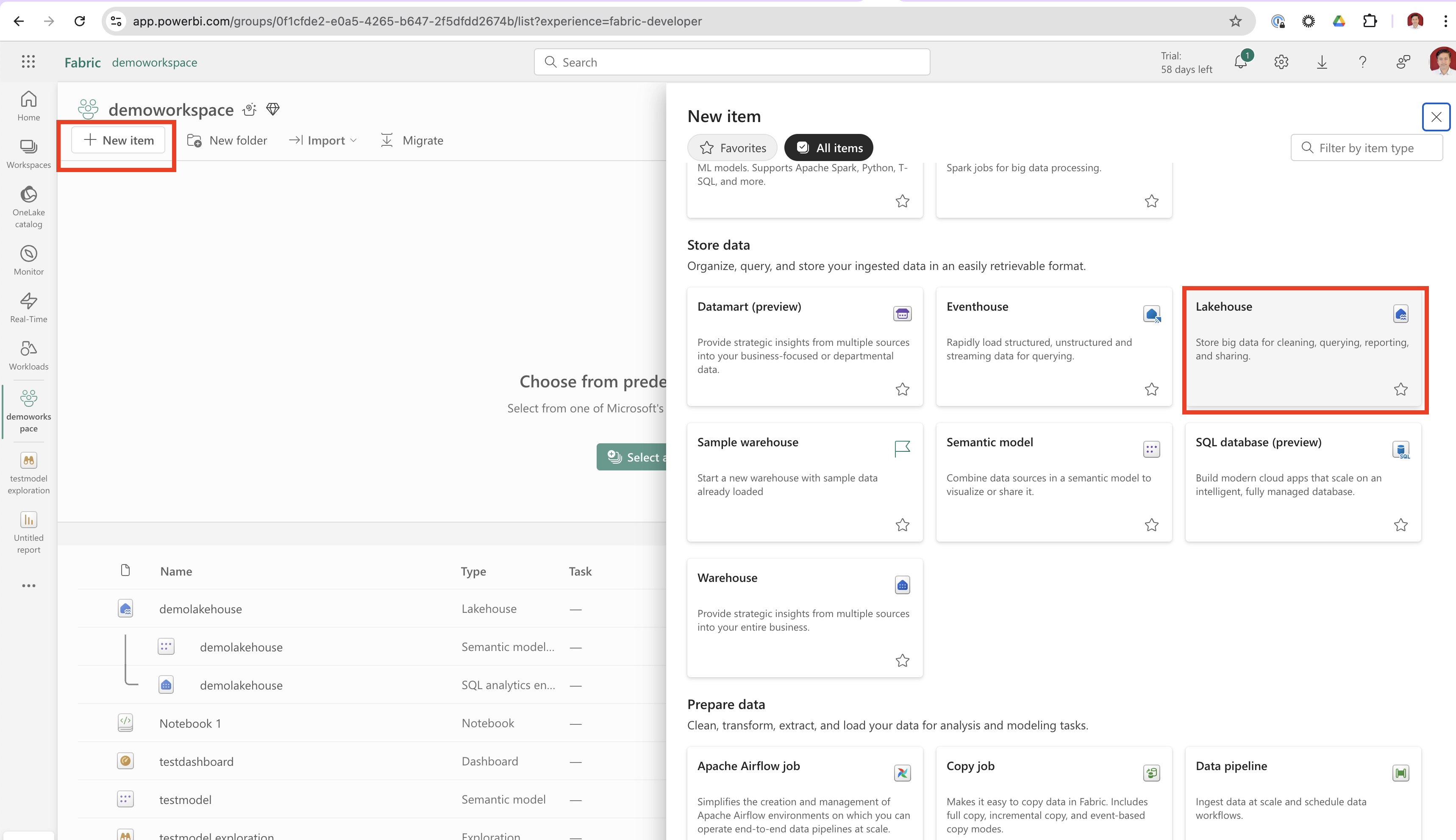
- In your newly created workspace, click on New Item > Lakehouse.
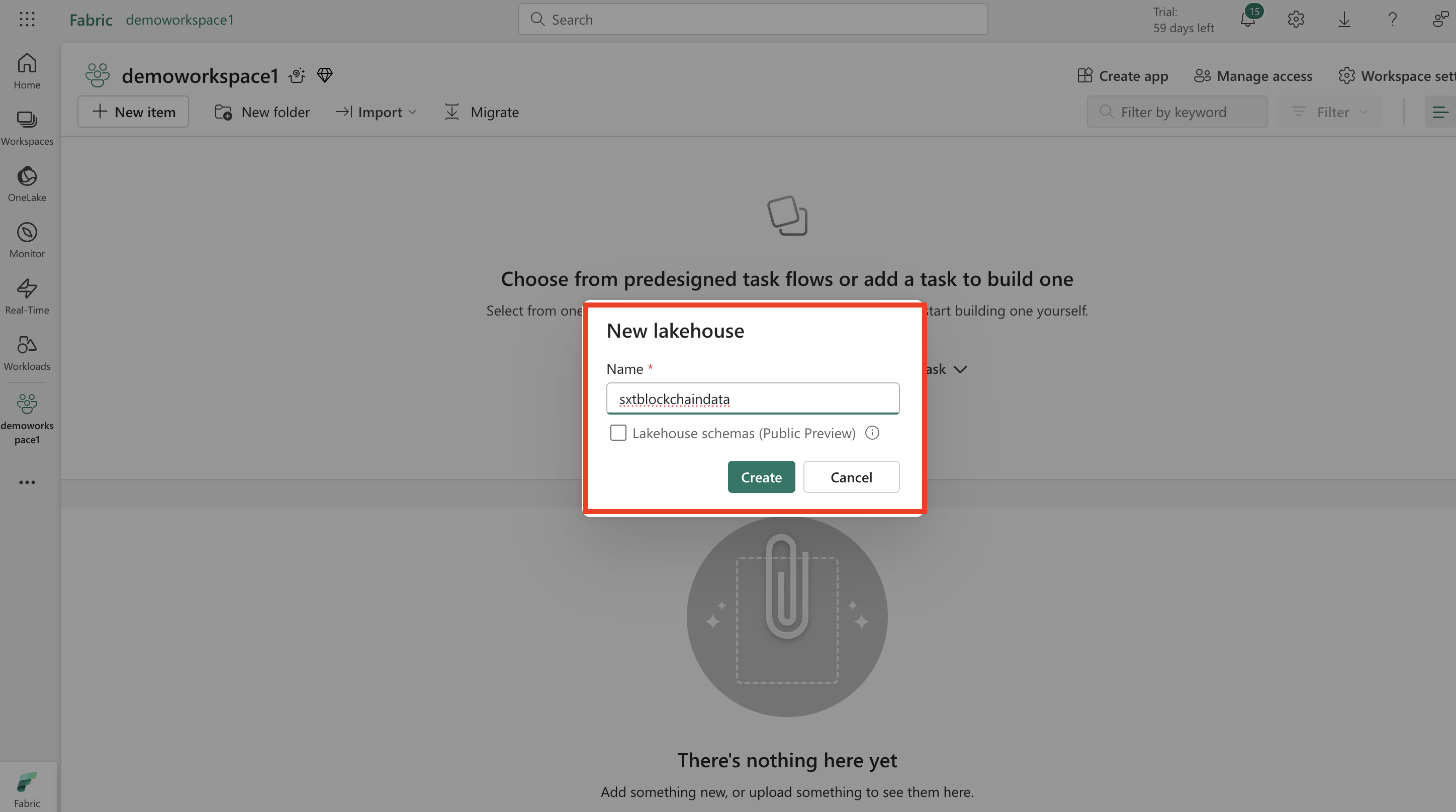
- Provide a Name for your lakehouse and click Create.
Add a Shortcut to Space and Time Data
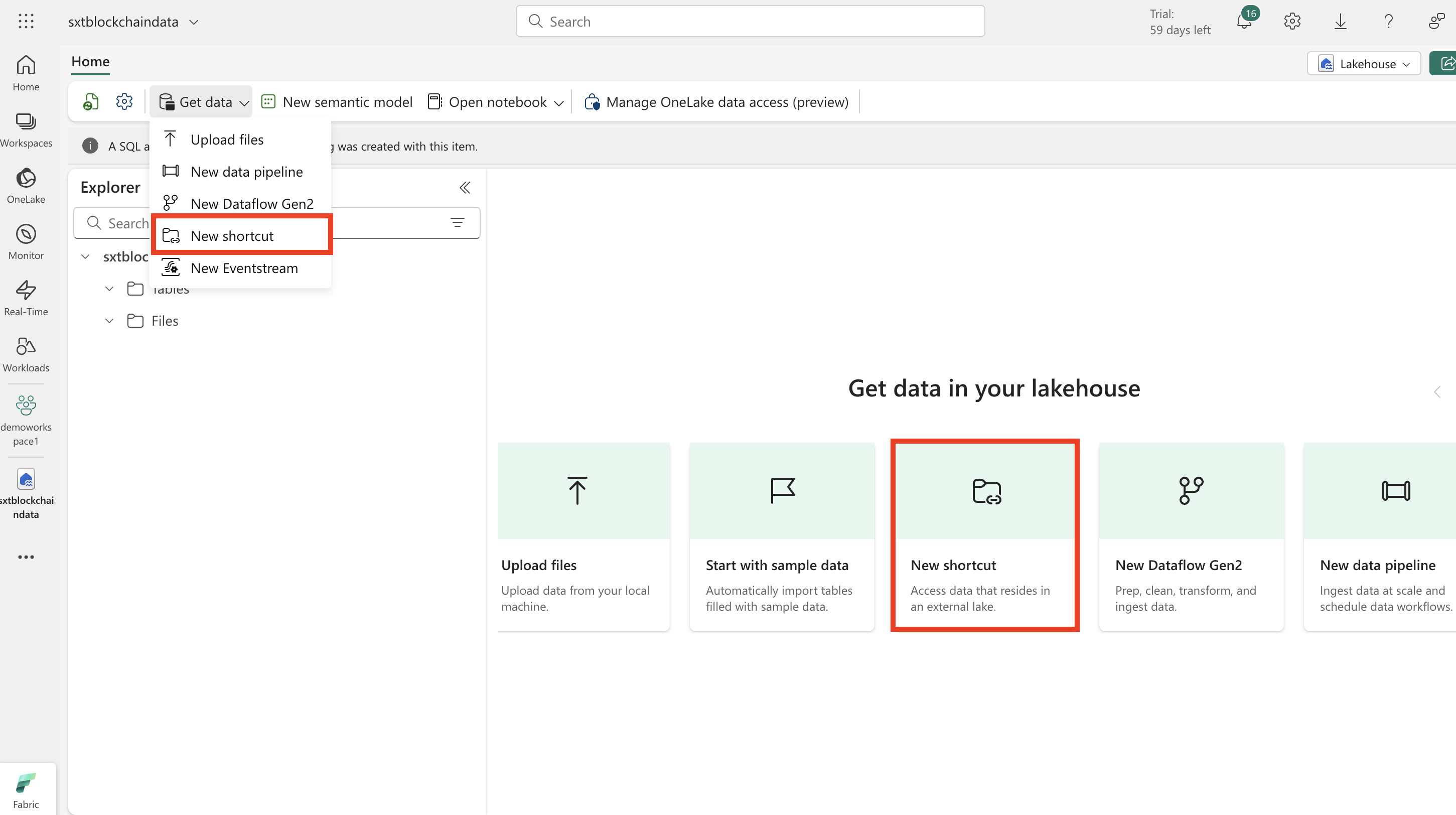
- In the newly created lakehouse, click New shortcut.
- Click on "Azure Data Lake Storage Gen2".
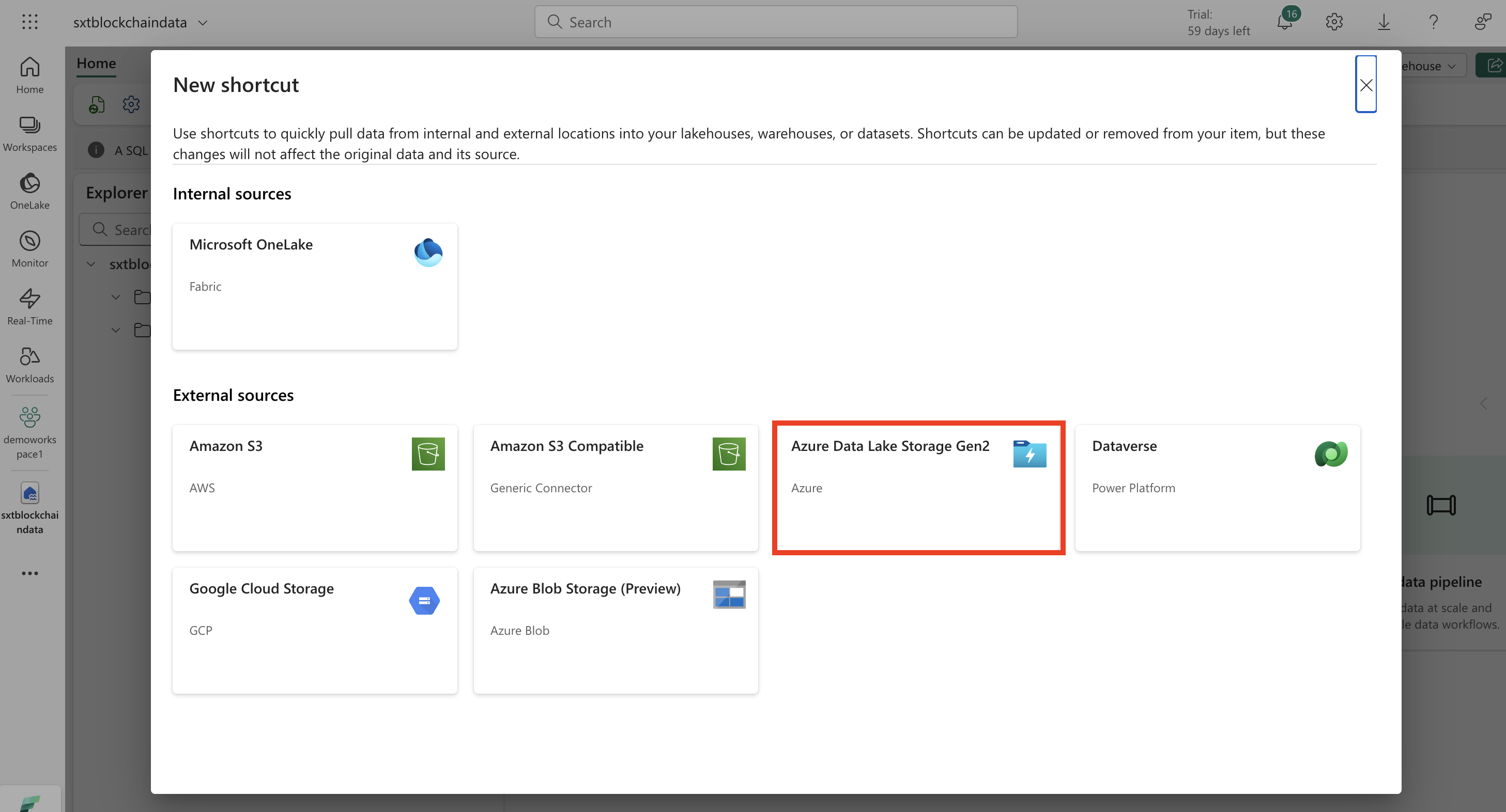
- Select Create new connection.
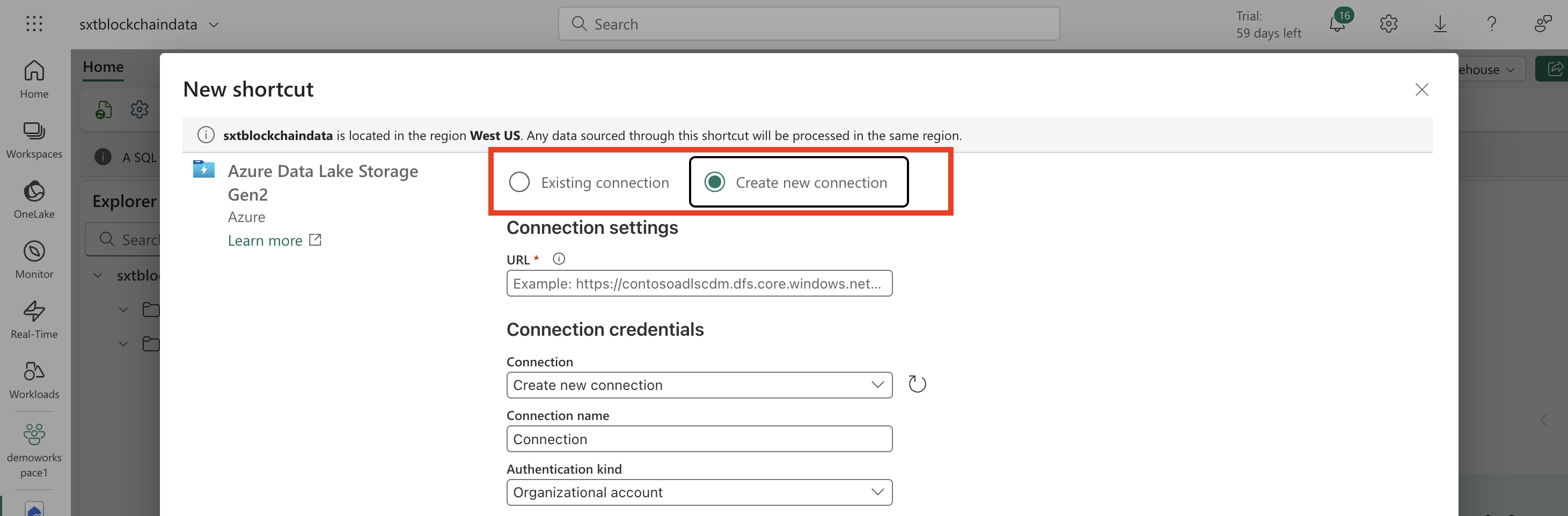
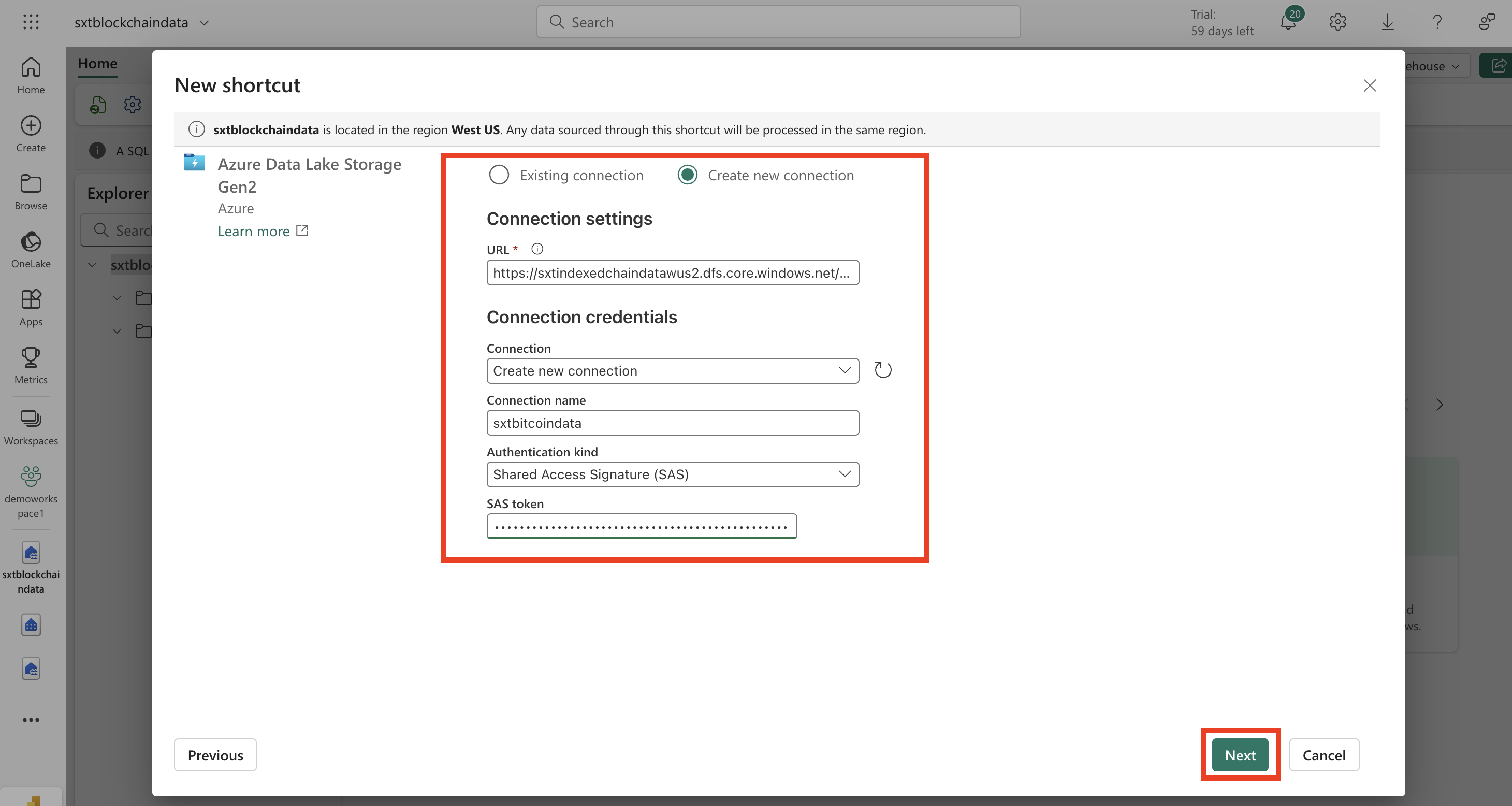
- Choose the appropiate Connection setting and credentials base on the blockchain you wish to set up.
- Set URL: to:
https://sxtindexedchaindatawus2.dfs.core.windows.net/bitcoin- Provide a Connection name.
- Select "Shared Access Signature (SAS)" as Authentication kind.
- Set SAS token to:
?sv=2023-01-03\&st=2025-05-22T11%3A51%3A07Z\&se=2030-05-23T11%3A51%3A00Z\&sr=c\&sp=rl\&sig=s9LJxux6BkEKWPL1Er3je0Cp7VG3PAsIEFO56fNL2gY%3D- Click Next.
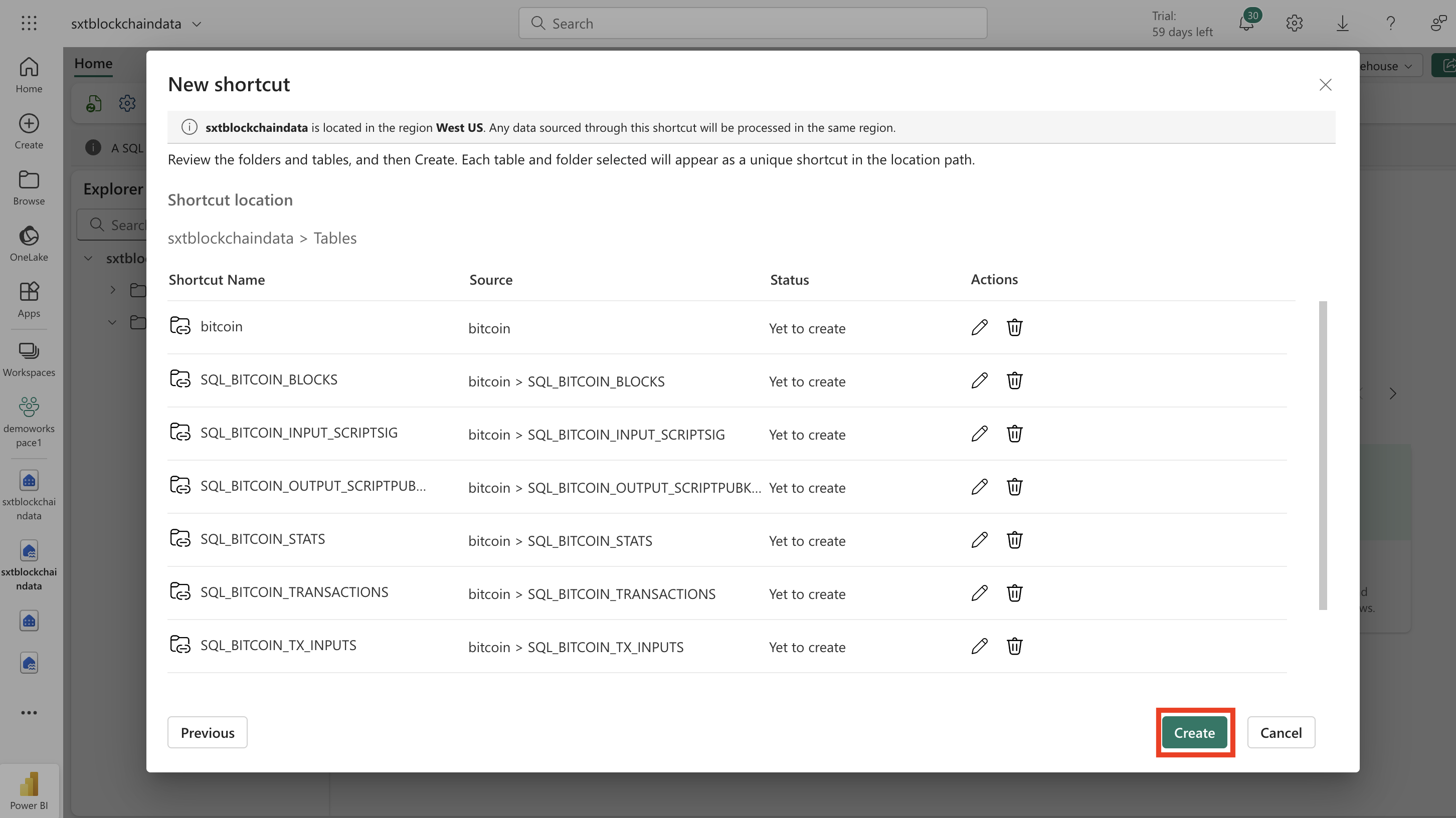
- Select the top level folder for the desire blockchain and all its tables and then click Next.
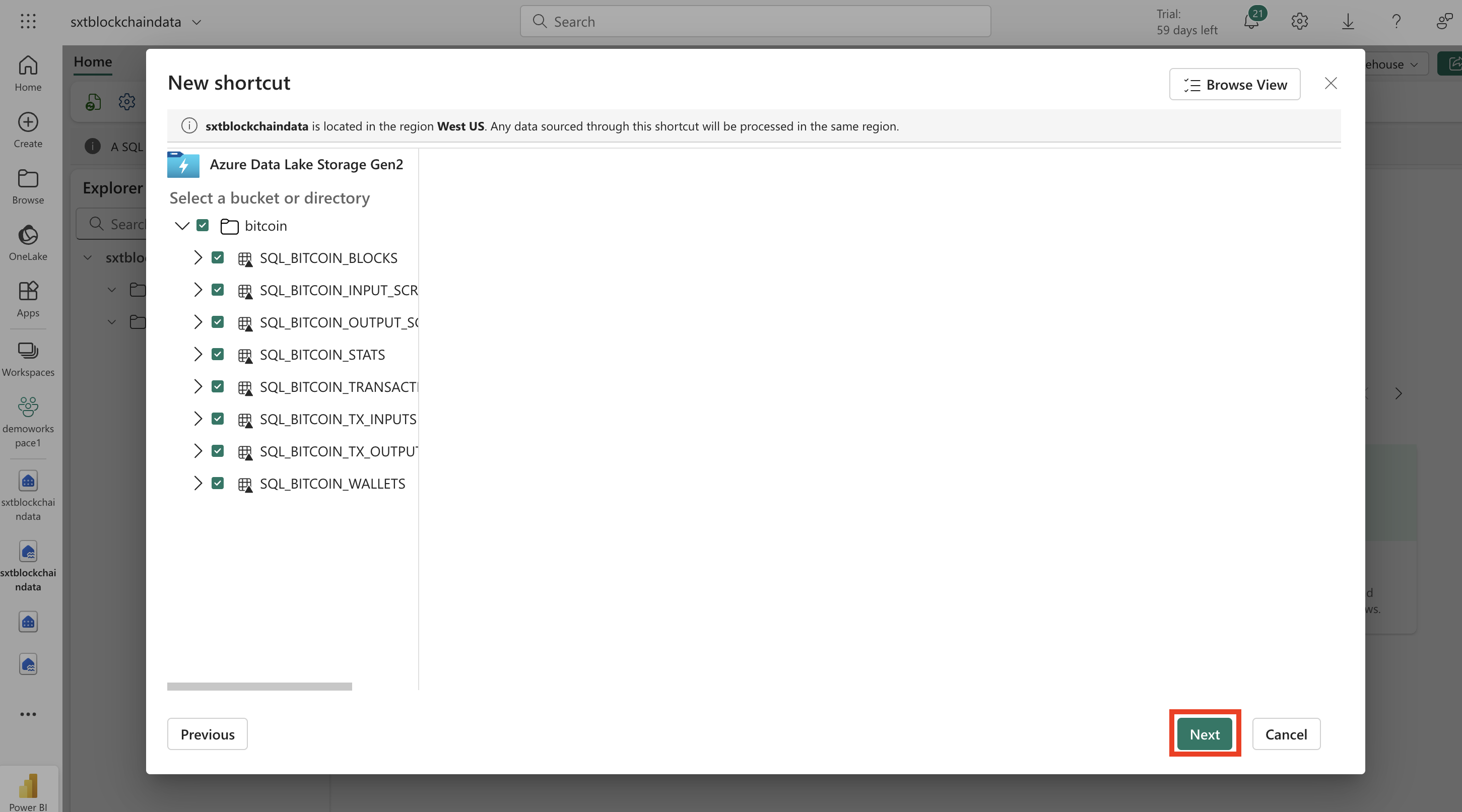
- Finally, click on Create.
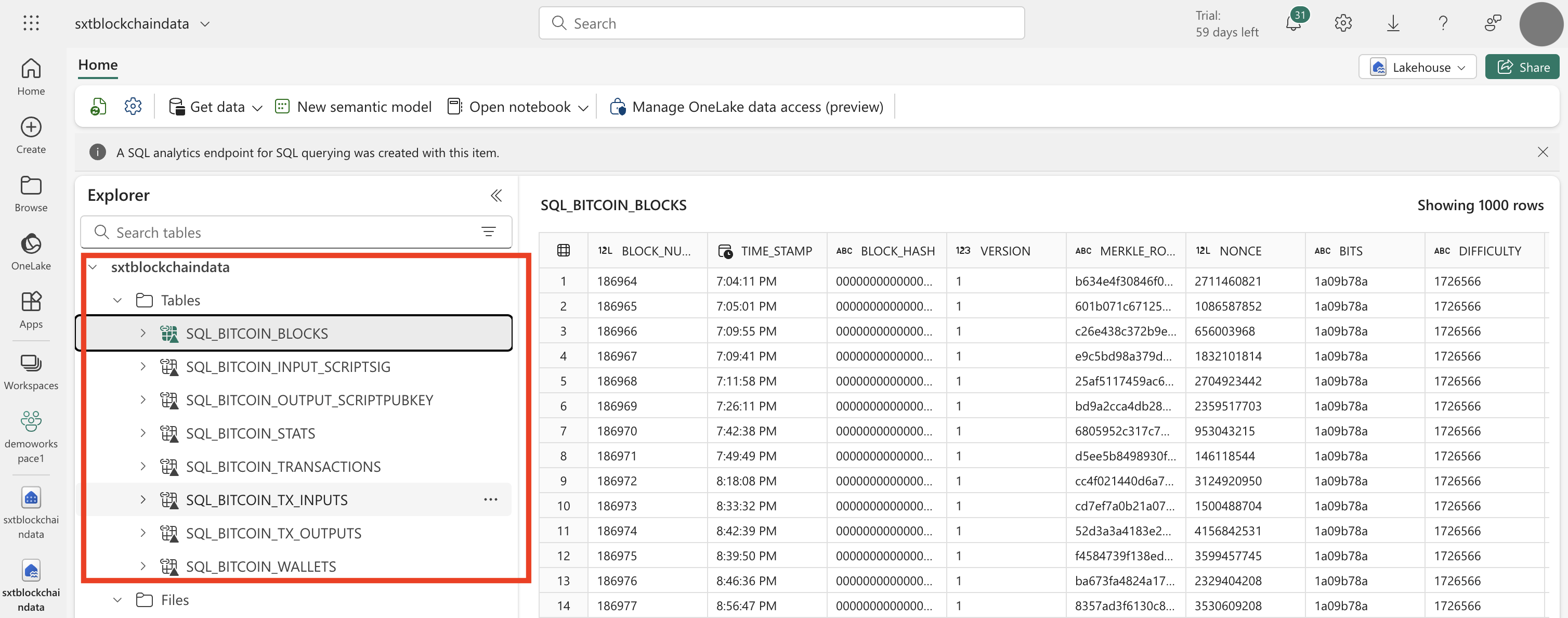
- Now, you should be able to see the desired blockchain date under the Tables folder
Updated 10 months ago